Have you ever dropped your phone or spilled water on it, only to suddenly panic about whether it was permanently damaged?
Smartphones are a big part of our daily life; from calls and messages to banking, taking photos and work. When something goes wrong, quick action can make the difference between a simple fix and costly permanent damage. Knowing what to do immediately can save your device, your data and your money.
In this guide, you’ll learn the first steps to take when your smartphone is damaged, why they matter and when you should visit the best mobile repair centre in Guwahati for professional help.
Many people ignore early signs of damage, thinking the phone will fix itself. But small issues can quickly turn into serious problems if not handled properly. For example, a tiny amount of water inside your phone can corrode internal parts within hours. A cracked screen can spread and damage the display panel. Acting fast reduces repair costs and prevents permanent damage.
Step-by-Step Actions to Prevent Permanent Damage
If your phone falls in water, overheats or starts malfunctioning, the first step is to switch it off. Keeping it on can cause short circuits inside the device. Turning it off protects the motherboard and internal components.
Remove the case, earphones, memory card and SIM card. These parts can trap moisture or heat inside the device. Removing them allows airflow and prevents further internal damage.
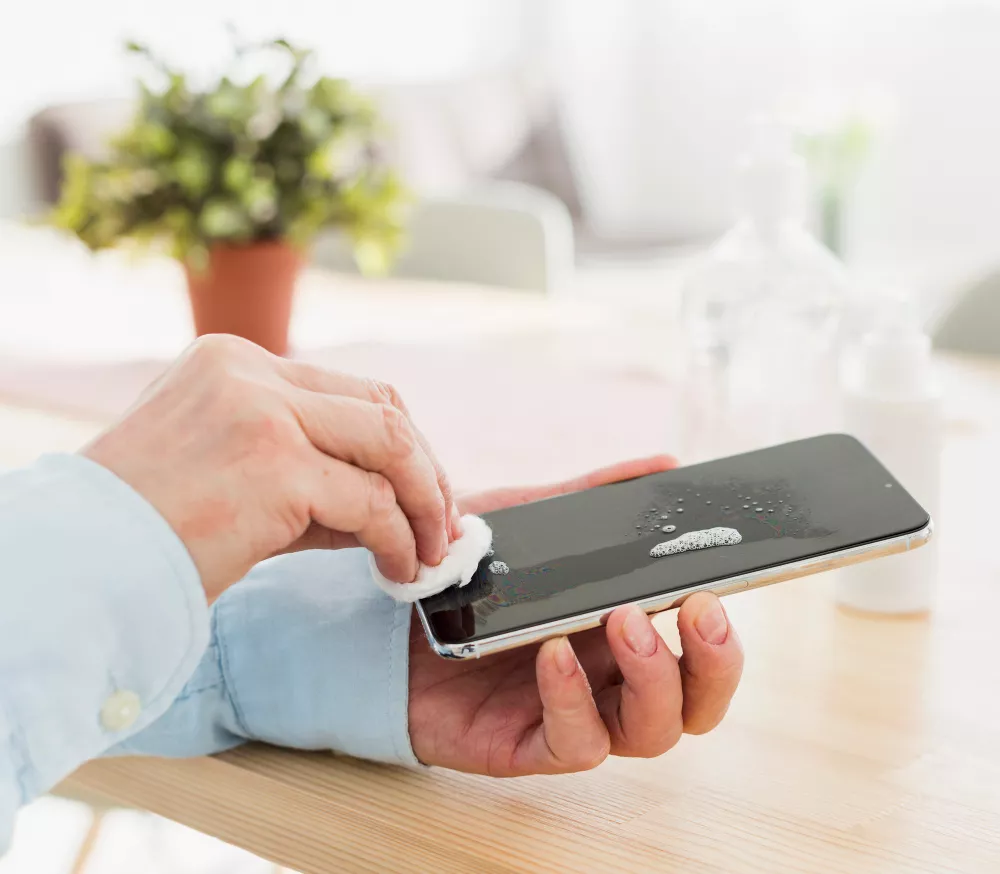
If your phone gets wet:
● Wipe it gently with a soft cloth
● Keep it in a dry, ventilated place
● Avoid using hair dryers or heaters
Heat can push moisture deeper into the phone, damaging delicate circuits. Proper drying is essential before turning it back on.
Many people plug in their phone immediately if it won’t turn on. This is risky. Charging a wet or damaged phone can burn internal circuits or cause battery failure. Always wait until a technician checks it.
● Crack-smelled screen
● Loose buttons
● Bent frame
● Unusual
These signs often appear later and indicate internal damage. Early diagnosis at the best mobile repair centre in Guwahati can prevent more extensive repairs.
Trying to open your phone at home without proper tools can damage cables, connectors or the motherboard. Modern smartphones are delicate and require expert handling. Instead of attempting risky fixes, visit a mobile repairing centre in Guwahati where trained technicians can diagnose the problem safely.
If your phone still turns on, immediately back up your data to cloud storage or a computer. This protects your photos, contacts and files in case the device stops working later.
Even if your phone seems fine after a fall or water exposure, watch for delayed symptoms like:
● Screen flickering
● Fast battery drain
● Heating issues
● Touch problems
These signs often appear later and indicate internal damage. Early diagnosis at the best smartphone service centre in Guwahati can prevent bigger repairs.
You should visit a repair expert immediately if:
● Your phone doesn’t turn on
● It got wet or exposed to liquid
● The screen is cracked or unresponsive
● The device overheats
● Charging issues appear
Professional technicians use special tools to check internal circuits, battery health and hardware components. If you use Apple devices, visiting a trusted Apple service centre in Assam makes sure proper diagnosis and genuine spare parts.
Avoid these mistakes that many smartphone users make:
● Turning on a wet phone
● Charging immediately after water exposure
● Ignoring small cracks
● Using duplicate chargers
● Dropping the phone repeatedly without repair
These actions often convert small issues into expensive repairs or total device failure.
● Accurate problem diagnosis
● Safe repair methods
● Genuine spare parts
● Affordable solutions
● Warranty support
Simple Tips to Prevent Future Damage
● Use a shockproof case
● Install a screen protector
● Avoid overcharging
● Keep the phone away from water
● Clean charging ports regularly
● Update software on time
Prevention is always cheaper than repair.
Smartphone accidents can happen at any time, but quick action can prevent permanent damage. Turning off the device, drying it properly, avoiding charging and seeking professional help are the most important steps you should take immediately. Instead of risking costly damage, trust experts who know how to handle your device safely.
Don’t wait until the problem gets worse.
Visit The Keypad in Guwahati, the best mobile repair centre in the city, for fast, reliable and professional smartphone repair services. Let the experts restore your phone and keep it running like new!